Details
Color Format Converter
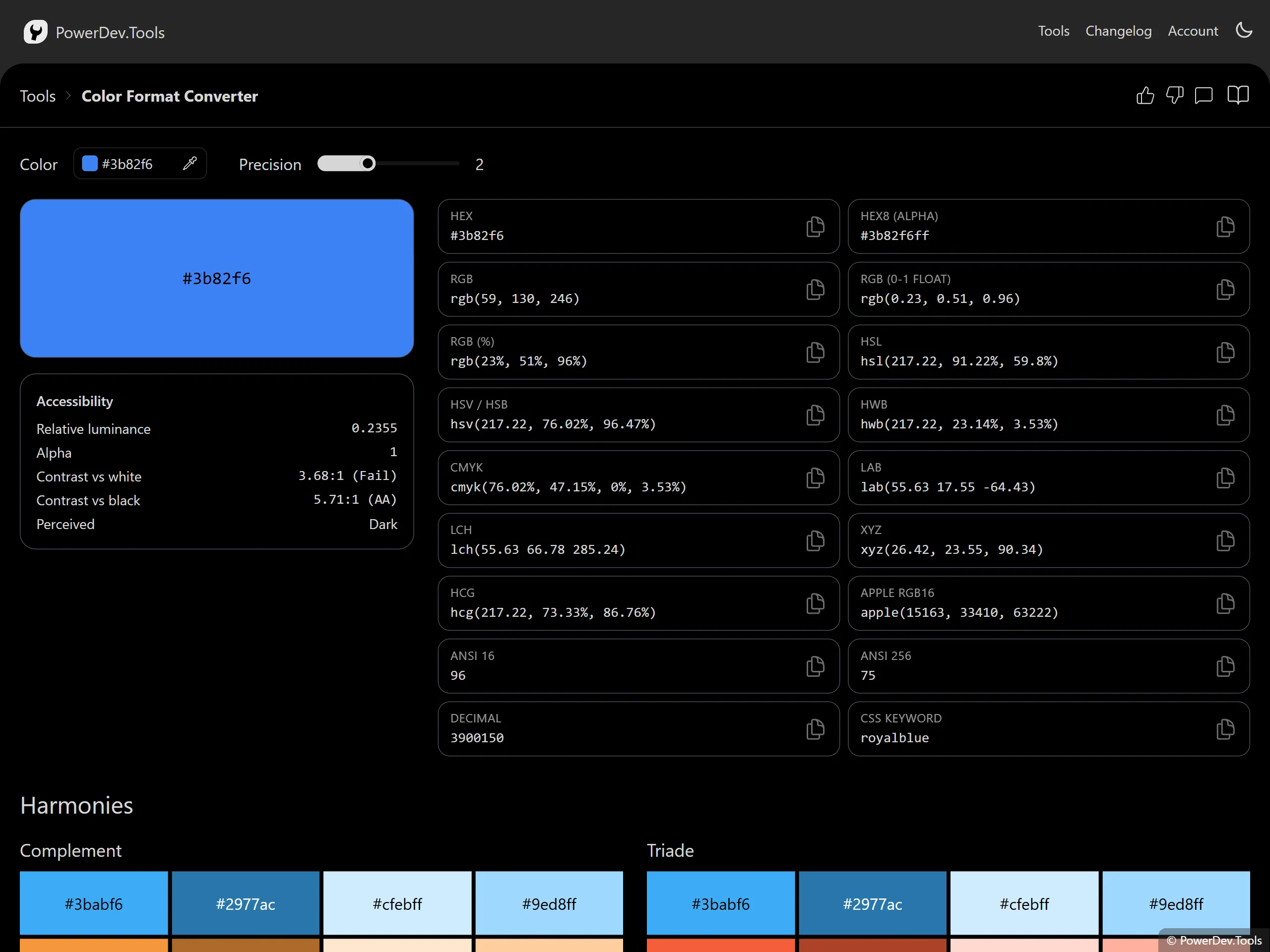
Enter a color in any common notation and instantly see it in every supported format.
Input is parsed from HEX (#3b82f6, #3b82f6cc), rgb()/rgba(), hsl()/hsla(), hwb(),
or a CSS color name (rebeccapurple). Use the picker or eyedropper to grab a color visually.
Every output field is editable: type a value in any format and the whole panel updates from it. Click a row to focus its input, press Enter (or click away) to apply, and use the copy icon to copy that value to the clipboard.
Supported formats
- HEX and HEX8 (
#rrggbb,#rrggbbaa) - RGB — integer, normalized
0–1float, and percentage - HSL, HSV/HSB, HWB
- CMYK
- LAB and LCH
- XYZ, HCG, Apple RGB16
- ANSI 16 and ANSI 256 terminal codes
- CSS keyword (when the color maps exactly) and decimal integer
Use the precision control to choose how many decimal places are shown for the floating-point formats (HSL, HSV, CMYK, LAB, LCH, XYZ, and the normalized RGB float).
Accuracy & color drift
Conversions between HEX, RGB, HSL, HSV, HWB, HCG, and Apple RGB16 are exact — they are reversible transforms of the same sRGB color. The remaining formats are estimates, and editing them and converting back can drift:
- ANSI 16 and ANSI 256 snap the color to a fixed terminal palette (16 or 256 entries), so most colors are approximated and rarely round-trip to the original.
- LAB, LCH, and XYZ can describe colors outside the sRGB gamut. Values you type that fall outside it are clamped to the nearest displayable color, so the result may differ from your input.
- CMYK uses a simple device-independent approximation (no ICC profile) — a guide for print, not a color-managed proof.
Preview & accessibility
A large preview swatch shows the current color. The accessibility panel reports the WCAG relative luminance, the contrast ratio against white and black, the matching WCAG level (AA/AAA), and a suggested readable text color.
Harmonies
A set of related palettes (complement, triade, tetrade, and analogic) is generated from the current color so you can quickly explore matching colors. Click a swatch to copy it.
