Details
Cron Expression Parser
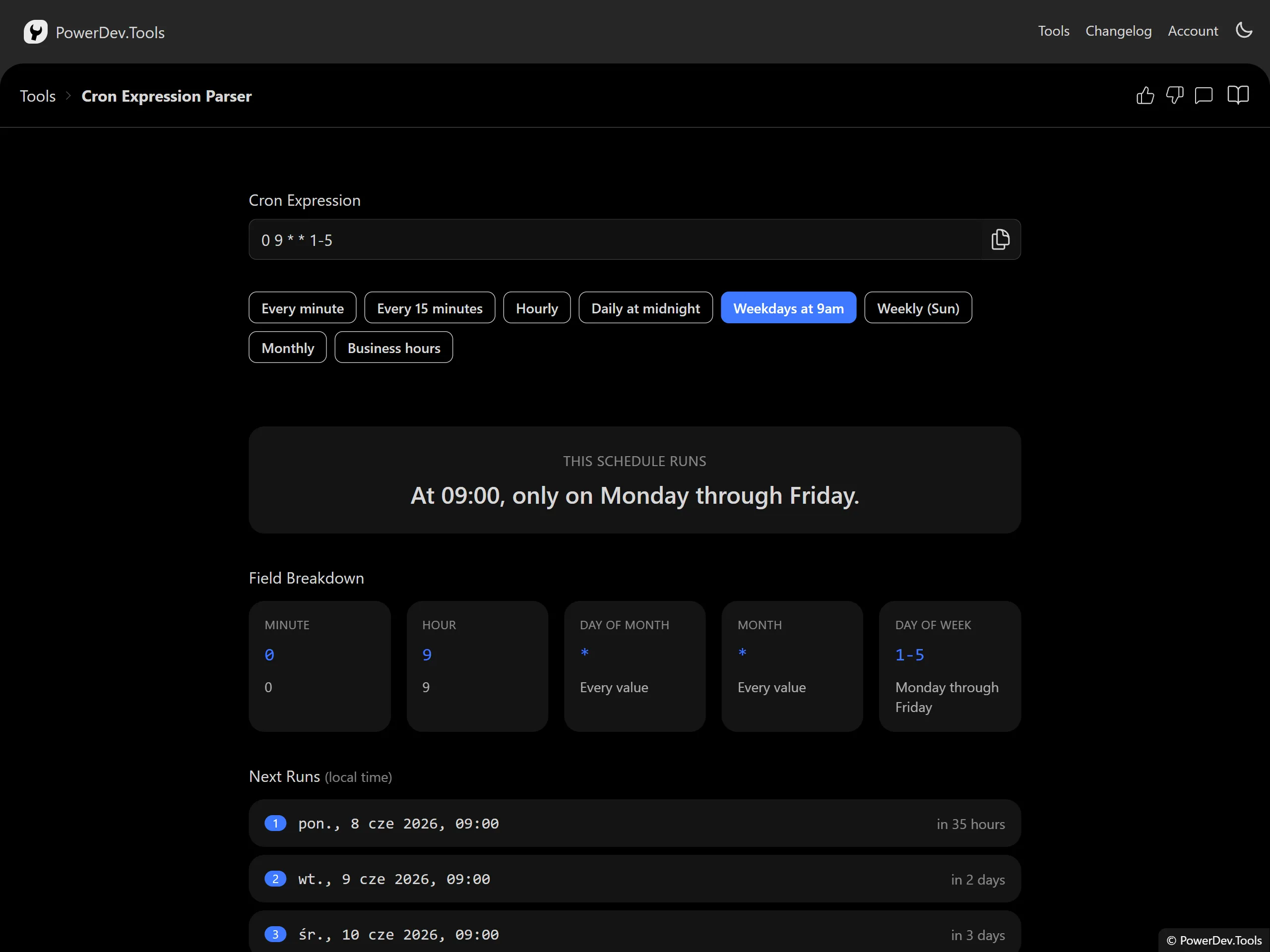
This tool takes a standard five-field cron expression and explains exactly what it means in plain English, breaks down each field, and shows you the next times the job would run.
It is invaluable when you are staring at a line in a crontab or a CI/CD schedule and cannot quite remember whether */15 9-17 * * 1-5 means what you think it does.
The tool loads with a sample expression so it is immediately useful, and everything is computed locally in your browser.
Cron Field Format
A standard cron expression has five space-separated fields:
┌───────────── minute (0 - 59)
│ ┌───────────── hour (0 - 23)
│ │ ┌───────────── day of month (1 - 31)
│ │ │ ┌───────────── month (1 - 12 or JAN-DEC)
│ │ │ │ ┌───────────── day of week (0 - 6 or SUN-SAT, 7 = Sunday)
│ │ │ │ │
* * * * *
Supported Syntax
- Wildcard
*— every value in the field - Lists
1,15,30— several specific values - Ranges
9-17— an inclusive range of values - Steps
*/15or9-17/2— every n-th value, optionally within a range - Names
JAN-DECfor months andSUN-SATfor days of the week - Macros
@yearly,@annually,@monthly,@weekly,@daily,@midnight,@hourly
How to Use
- Automatic initialization: The tool loads with a sample expression already parsed.
- Enter an expression: Type or paste a cron expression into the input field.
- Try a preset: Click any of the example buttons to load a common schedule.
- Read the summary: A plain-English description explains when the job runs.
- Inspect the fields: Each of the five fields is broken down so you can see how it was interpreted.
- Preview next runs: The upcoming run times are listed using your local time zone.
Common Use Cases
- Developers: Verifying cron schedules for backups, cleanup jobs, and scheduled tasks.
- DevOps / SRE: Sanity-checking crontab entries and CI/CD pipeline triggers before deploying.
- Data engineers: Confirming when ETL and reporting jobs will fire.
- Anyone learning cron: Building an intuition for how the five fields combine.
Notes
- Both day-of-month and day-of-week are honored using standard cron (Vixie) semantics: when both are restricted, the job runs when either matches.
- Day of week accepts
0or7for Sunday. - Next run times are calculated relative to your current local time.
Features
- Human-readable description: Translates the expression into a clear sentence.
- Per-field breakdown: Shows how each of the five fields was interpreted.
- Next run preview: Lists the upcoming scheduled times.
- Preset examples: One-click common schedules to learn from or adapt.
- Helpful errors: Clear messages when an expression is invalid.
